Do You Have Questions?

Our Customer Service team is here to help you during each step of the certification process.

CONTACT US

How do previously certified customers access the SQF Assessment Database?

Last Updated: Oct 28, 2025


Prerequisites

  • Work email address you can access (allow up to 20 minutes for system emails).
  • Your company’s legal name as it appears in SQF records (to find the correct Organization ID).

Steps

A) Create your user account

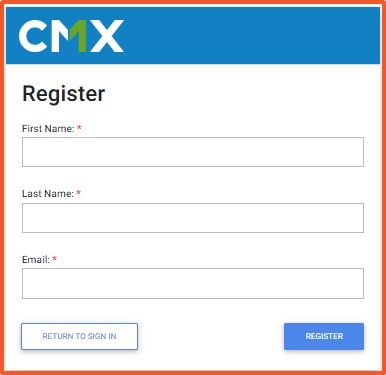
  1. Open the portal: Visit https://sqfi.compliancemetrix.com/ and select New around here? Create account.
  2. Enter details: First Name → Last Name → Email.
  3. Register: Select REGISTER (bottom right).
  4. Check your inbox: You will receive your username and a temporary password (can take up to 20 minutes). 


B) Set your password and accept terms
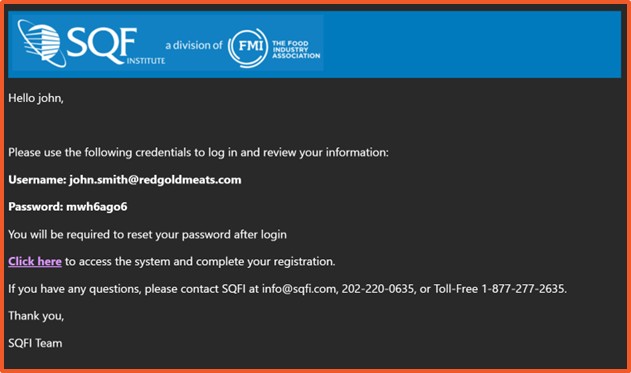
  1. Sign in and set a password: Log in with the temporary password, create a new password, and select SAVE PASSWORD.
  2. Accept terms: Read COMPLIANCEMETRIX, INC. END USER SUBSCRIPTION TERMS, check both boxes, and select I AGREE.
  3. Verify Profile: During user registration, confirm the First Name, Last Name, Email, and Phone, then select 'CONFIRM'.


C) Link your Corporate Information

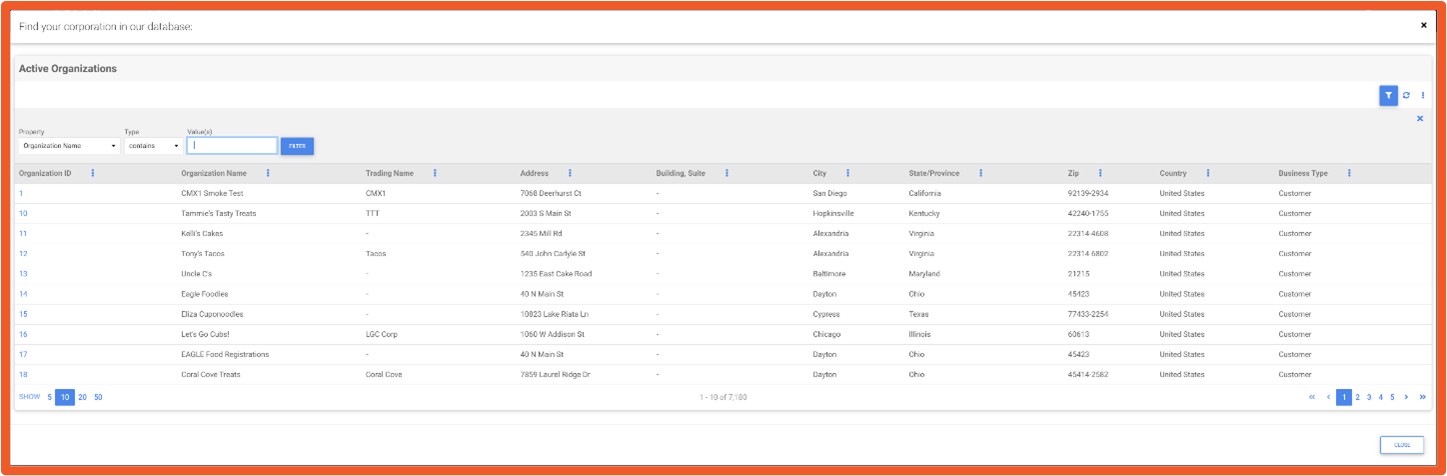
  1. Open Corporate Information: You are automatically redirected; if not, select "Corporate Information" from the menu.
  2. Search your organization: Select the blue select link → in Values, type your company name → Filter.
  3. Choose the record: Select the Organization ID that matches your corporate record.
  4. If you do not see your organization, close the filter (X). If it is still missing, contact SQFI Support at info@sqfi.com, 202-220-0635, or 1-877-277-2635.

Result: Your account is active, terms accepted, profile confirmed, and your corporate record is linked. You are ready to manage sites and audits.


Troubleshooting

  • No email after 20 minutes: Check spam/junk for messages from Compliancemetrix. If still missing the email, try Forgot password on the sign-in page or contact info@sqfi.com.
  • “Email already exists” error: An account may already be registered. Use Forgot password to regain access.
  • Password will not save: Ensure you meet the on-screen password requirements.
  • Cannot find Organization ID: Try alternate spellings or partial names. If you are still unable to find it, please contact SQFI Support.


FAQs

Who should create this account?
Any designated contact responsible for SQF certification activities.

Can my Certification Body create it for me?
Your CB can guide you, but the site typically maintains its own login. Follow your contract and internal policy.

Do I pay during account creation?
No. Account creation is free. Any fees occur during Certification Registration.

What if I am unable to access the email address on file?
Contact SQFI Support to update your email and regain access.


Related articles